Quantcast

Gore Mountain, NY: 12/23/12

classic Classic View
18 messages Options
12
Reply |   star

Gore Mountain, NY: 12/23/12

Harvey44
Admin
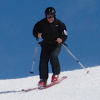
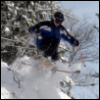
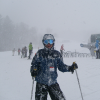
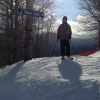
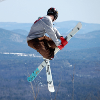
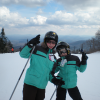
Ski Day 5: I really didn't get squat for pictures today, and for some reason all the shots I took in the blizzard on Uncas were completely washed out. Time to go back to the manual I suppose.

The Gondi went green at 7:50 and the corduroy was just incredible.  The new snow that fell yesterday and last night groomed up fantastically on everything on the East Side.


The wind was ripping on top of Bear Mtn

Once again the mountain was loaded with kindred spirits.  I knew I had to take off at noon or so to be home, and I was hopping to get a shot at Uncas before I left.

Patrol dropped the rope on Uncas at 11am and it was off the charts fun.  The snow was a little wet, and the last two guns were borderline gak, but if you were ready for it, it was 100% manageable.

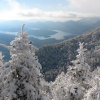
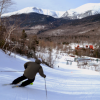
The only semi-decent pic I got of Uncas was from the Topridge lift.


The weekend was really, really fun. I have more pics from yesterday, will post those asap.

Reply |   star

Re: Gore Mountain, NY: 12/23/12

riverc0il
What mode do you use for shooting pictures? For years I used Auto mode and got crap. Program (P) is much better, especially with the ability to manually adjust the white balance (your new Canon should be able to do that). Auto just does a horrible job with snow conditions and so do special "snow modes" because they assume all snow conditions are the same, which they are not. If you get crap, you should be able to shot in RAW with that new Canon as well... you can often times salvage a crap JPG by working the RAW file, if you want to invest some time in learning how to do that.

Reply |   star

Re: Gore Mountain, NY: 12/23/12

Harvey44
Admin
I normally use "P"  - LOL I thought that was auto.

Somehow I changed something overnight. Every picture was taking several seconds to save and I was getting a "BUSY" message. I'm not sure what I changed.

It may have had something to do with trying the burst mode. Not sure.

Reply |   star

Re: Gore Mountain, NY: 12/23/12

jimvdak
I want to get to Gore this season SO BAD! That last picture is beautiful!

*~It is better to go skiing and think of God, than go to church and think of sport.~*  -Fridtjof Nansen
Reply |   star

Re: Gore Mountain, NY: 12/23/12

BRLKED
In reply to this post by Harvey44
Your last shot looks kinda familiar.

Reply |   star

Re: Gore Mountain, NY: 12/23/12

TomCat
In reply to this post by riverc0il
Sometimes cameras will have trouble setting exposure properly with all the white snow. You can also see if the camera has an exposure bracketing setting. Then the camera will take three photos when you press the shutter. One with the exposure it thinks is right, one over exposed and one under exposed. I used that setting to take pics in a cave without a flash and it worked pretty well.

+1 on conditions this weekend.

Tom

Reply |   star

Re: Gore Mountain, NY: 12/23/12

tBatt
In reply to this post by riverc0il
riverc0il wrote
 Auto just does a horrible job with snow conditions and so do special "snow modes" because they assume all snow conditions are the same, which they are not. If you get crap, you should be able to shot in RAW with that new Canon as well... you can often times salvage a crap JPG by working the RAW file, if you want to invest some time in learning how to do that.
A camera's internal meter takes all the color values of the scene, averages them, and assumes that it will be a 15% gray (exactly between black and white). Shooting an all light-toned scene (beach, snow), it will set the exposure such that the snow and sand should be gray. Beach/Snow mode is an exposure compensation  to make it a stop brighter than the camera wants it to be.

Basically, if it's bright/lots of snow, try to look for an exposure compensation setting and put it at +1 (or play with it until you get good results).

Shooting in RAW is awesome for editing in post, but the file is 5x bigger than a JPEG.

Reply |   star

Re: Gore Mountain, NY: 12/23/12

Harvey44
Admin
I had probably 50 shots that came out like this... some had no image at all. Granted it was in snowmaking, but I've taken pics in snowmaking before and gotten reasonable results.


I must have done something with a setting to get this. (?)

CMR
Reply |   star

Re: Gore Mountain, NY: 12/23/12

CMR
Harv,

I had a day were all my pictures were whiteouts like those. I have a Canon S100 And while it generally takes excellent photos, sometimes it gets a bit fidgety. It's relatively easy to mistakingly change a menu setting. Especially when it's freezing out and you want to get your hand back in the glove as soon as possible.

I'd recommend that you go into the main menu and restore the camera to its default settings.  I did that and all the whiteouts went away.  P, Is the program mode and allows you to alter more settings then the auto green mode.  It's likely that while in the P mode you hit the function button and inadvertently changed a setting.  

Another thing to consider is Your focus setting.  Many of these cameras do face detection, evaluative, And spot focusing. The exposure is then tied into the focusing Mode you chose. This can lead to unexpected results.  Hope you fix it soon. Poindexter and I look forward to your trip reports and they wouldn't be the same without the Excellent photography!

Reply |   star

Re: Gore Mountain, NY: 12/23/12

Harvey44
Admin
CMO - That sounds like exactly what happened.

When I hit the function button the message is a little confusing.

Default Control ISO
Turn Ring to Adjust the Shooting Mode Setting:

STD   ISO   +/-    MF  WB+/-  ZOOM etc

I assume STD is the way to go?

Reply
12
Loading...